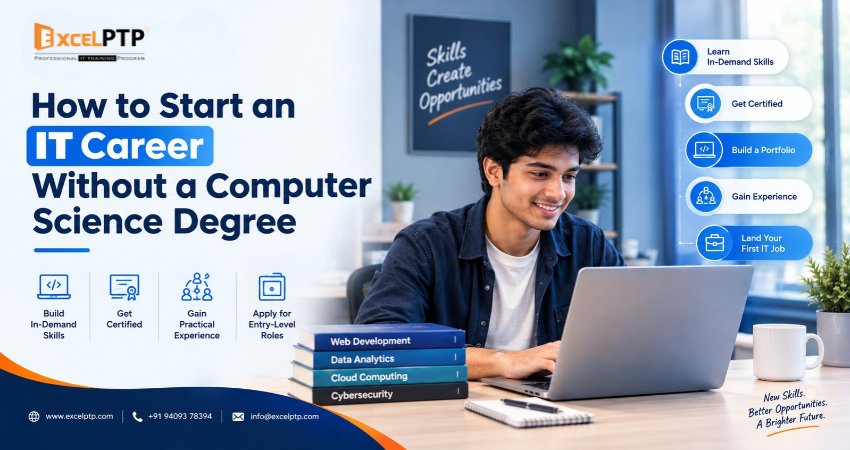
You do not necessarily need a Computer Science degree to begin an IT career. If you have a degree in commerce, arts, science, business administration, or another non-technical field, you can explore technology careers by developing relevant skills, completing practical projects, and preparing for entry-level opportunities.
However, the right path depends on the role you want to pursue. Some technology jobs accept candidates from different educational backgrounds, while others have stricter degree requirements. The most effective approach is to understand your options, choose a suitable IT domain, and build evidence of your ability to perform the work.
This guide explains how to start an IT career without a Computer Science degree, which skills to learn, how to choose an appropriate career path, and how to prepare for your first IT job.
Is a Computer Science Degree Necessary for an IT Career?
No, a Computer Science degree is not a universal requirement for every IT job. Some employers consider candidates with non-technical degrees when they can demonstrate relevant skills, practical experience, and an ability to solve job-related problems.
For example, a candidate may prepare for web development by building functional websites, pursue software testing by learning test cases and defect reporting, or enter digital marketing by demonstrating practical SEO and campaign skills.
Nevertheless, requirements vary by employer and occupation. Certain software engineering, cybersecurity, data science, and infrastructure positions may prefer or require a relevant degree, particularly for specialised or advanced responsibilities.
The important distinction is that a degree and job-ready skills serve different purposes. A degree can provide a broad academic foundation, while practical learning helps you demonstrate how you apply specific skills.
If you do not have a Computer Science degree, start by identifying roles where your educational background, interests, and willingness to learn align with the actual entry requirements.
Who Can Start an IT Career Without a Computer Science Degree?
An IT career can be worth exploring if you fall into one of the following groups.
1. B.Com and M.Com Graduates
Commerce graduates already have experience with subjects such as accounting, business processes, finance, and numerical analysis.
Depending on their interests, they can explore:
- Data analytics, using spreadsheets, SQL, dashboards, and data visualisation.
- Digital marketing and SEO, combining analytical thinking with content and campaign optimisation.
- Software testing, learning how to identify defects and verify application behaviour.
- Business analysis, helping translate business requirements into technical solutions.
Your existing knowledge can be useful, but you will still need to learn the tools and practical methods required for your chosen role.
2. BA, MA, and Humanities Graduates
Arts and humanities graduates may bring useful communication, research, writing, and critical-thinking skills.
Potential career paths include:
- Content writing and technical documentation.
- Digital marketing and search engine optimisation.
- UI/UX design, with appropriate design training.
- Software testing.
- Business analysis and technology support roles, depending on the requirements.
Choose a path that builds on your strengths while giving you opportunities to develop new technical skills.
3. BBA and MBA Graduates
Business administration graduates may be interested in roles that connect technology with business operations.
Possible options include business analysis, IT project coordination, digital marketing, CRM administration, and software testing.
For more technical positions, you may need additional programming, database, testing, or systems knowledge.
4. Freshers and Students
You can begin learning IT skills while completing your existing education. Start with basic computer proficiency, explore different technology domains, and complete small projects before committing to a specialised course.
If you are still studying, check whether your preferred career requires a particular qualification before deciding to change your academic plans.
5. Working Professionals and Career Changers
Professionals moving from sales, administration, finance, customer service, or another field can use their existing experience as a starting point.
For example, someone with customer service experience might explore technical support or software testing. A finance professional might investigate data analytics or business analysis.
A career change is easier to plan when you identify transferable skills instead of treating your previous experience as irrelevant.
How to Start an IT Career Without a Computer Science Degree: A Step-by-Step Roadmap
Follow these steps to move from exploring IT careers to preparing for entry-level opportunities.
Step 1: Identify Your Interests and Strengths
Before selecting a course, decide what type of work you would enjoy doing regularly.
Ask yourself:
- Do I enjoy solving logical problems?
- Am I interested in creating websites or applications?
- Do I prefer finding errors and improving quality?
- Do I enjoy analysing information and identifying patterns?
- Am I more interested in business, communication, content, or design?
- How much time can I consistently dedicate to learning?
Your answers can help narrow the options.
You do not need to know your entire career plan immediately. Start by exploring two or three relevant fields, then choose one to investigate more deeply.
Step 2: Choose One IT Domain
One common mistake beginners make is attempting to learn programming, cybersecurity, web development, data science, digital marketing, and artificial intelligence simultaneously.
This often creates confusion without producing enough practical ability in any one area.
Instead, choose one primary domain and learn the fundamentals required for an entry-level role.
For example:
- Interested in building websites? Explore web development.
- Interested in finding application defects? Explore software testing.
- Interested in business data? Explore data analytics.
- Interested in online visibility and campaigns? Explore digital marketing and SEO.
- Interested in visual experiences? Explore UI/UX design.
Research actual job descriptions before making your decision. The tools and responsibilities mentioned in those descriptions will help you create a focused learning plan.
Step 3: Learn the Essential Skills for Your Chosen Role
Once you select a domain, divide the learning process into manageable stages.
For web development, you might begin with HTML, CSS, JavaScript, and basic programming concepts.
For software testing, start with software development life cycle concepts, test cases, bug reporting, and manual testing before moving into automation.
For data analytics, learn spreadsheets, data cleaning, SQL, visualisation, and a reporting tool.
For digital marketing, learn search intent, keyword research, on-page SEO, content strategy, analytics, and campaign measurement.
Avoid collecting certificates without developing the ability to use the skills they represent.
A useful learning plan should include:
- Core concepts and terminology.
- Guided exercises.
- Independent practice.
- Small projects.
- Feedback and correction.
- A larger project that demonstrates your progress.
Step 4: Practise With Realistic Projects
Practical work helps you understand how concepts are applied outside a classroom or tutorial.
Build projects that resemble the tasks you may encounter in an entry-level job.
For example:
Web development project: Build a responsive website with a navigation menu, contact form, and structured content.
Software testing project: Create test cases for a registration page, test valid and invalid inputs, record defects, and document expected versus actual results.
Data analytics project: Analyse a sample sales dataset, clean the data, identify patterns, and prepare a dashboard with meaningful observations.
Digital marketing project: Develop a sample SEO plan for a website, map keywords to pages, recommend metadata improvements, and explain how performance could be measured.
UI/UX design project: Research a user problem, create wireframes, develop a prototype, and explain the reasoning behind your design decisions.
Clearly identify practice projects as practice projects. Do not present simulated client work as paid professional experience.
Step 5: Build a Portfolio That Demonstrates Your Skills
A portfolio gives recruiters or hiring managers something concrete to evaluate.
Your portfolio does not need to contain dozens of projects. A few well-explained examples can be more useful than a large collection of unfinished work.
For each project, include:
- The problem you wanted to solve.
- The tools and technologies you used.
- Your responsibilities.
- The steps you followed.
- Challenges you encountered.
- How you tested or evaluated the result.
- What you learned and would improve next time.
Developers can publish suitable code repositories or working demonstrations. Testers can present sample test cases and defect reports. Analysts can share dashboards and explain their findings. Digital marketers can create sample audits and content strategies.
Remove confidential information and never publish private client data.
Step 6: Gain Practical Experience
Once you understand the fundamentals, look for ways to apply them in realistic settings.
Depending on your circumstances, this may include:
- Internships with clearly defined responsibilities.
- Supervised project work.
- Open-source contributions.
- Personal projects based on real problems.
- Volunteer work with an agreed scope.
- Entry-level roles that provide relevant training.
An internship can help you understand teamwork, deadlines, documentation, feedback, and professional communication.
However, evaluate opportunities carefully. Understand the responsibilities, compensation arrangements, working conditions, and learning outcomes before accepting an internship or training programme.
Step 7: Prepare a Skills-Focused Resume
Your resume should help an employer understand what you can contribute.
If you do not have a Computer Science degree, avoid making the absence of that degree the central focus of your application.
Instead, organise your resume around relevant evidence.
Include:
- Your educational qualification.
- Technical skills relevant to the vacancy.
- Projects you have completed.
- Tools and technologies you have used.
- Internships or relevant work experience.
- Certifications, where applicable.
- Communication and problem-solving skills supported by examples.
For example, instead of writing only "Learning software testing", describe a completed project in which you created test cases, executed tests, documented defects, and summarised the results.
Be accurate about your proficiency. Listing a technology does not prove expertise, so prepare to explain and demonstrate each skill you mention.
Step 8: Practise Technical and HR Interviews
Interview preparation should match the role you want.
For web development, practise explaining your code, debugging common issues, and discussing your projects.
For software testing, prepare to explain test cases, defect severity, regression testing, and the difference between expected and actual results.
For data analytics, practise interpreting datasets, explaining your analysis, and answering questions about the tools you used.
For digital marketing, prepare to explain keyword intent, on-page optimisation, campaign objectives, and how you would evaluate results.
You should also practise introducing yourself, describing your career transition, and explaining why you selected your chosen domain.
A non-technical degree does not need to be something you apologise for. Explain how your previous education or work experience complements your new skills.
Step 9: Apply Strategically and Improve From Feedback
Begin with entry-level vacancies that match your actual skills and eligibility.
Read each job description carefully. Some employers may accept graduates from any discipline, while others specify a Computer Science degree, engineering qualification, or relevant work experience.
Track your applications and note the requirements that repeatedly appear.
If you receive feedback that you lack SQL knowledge, for example, update your learning plan. If your portfolio does not clearly explain your work, improve its documentation.
A structured process helps you identify gaps instead of repeatedly applying for roles for which you are not yet prepared.
Which IT Career Paths Are Suitable for Non-Computer Science Graduates?
There is no single best IT career for every non-CS graduate. The right option depends on your interests, the skills you are prepared to develop, and the eligibility requirements of employers.
1. Web Development
Web development involves creating and maintaining websites and web applications.
Skills may include:
- HTML and CSS.
- JavaScript.
- Responsive web design.
- Git and version control.
- Front-end or back-end frameworks, depending on the role.
- Debugging and basic web security practices.
Start by creating small websites, then progress to interactive applications.
A portfolio can demonstrate your ability to build and maintain working projects. However, some employers still require relevant degrees or additional technical qualifications, so check individual vacancies.
2. Software Testing and Quality Assurance
Software testing involves checking whether software behaves as expected, identifying defects, and helping teams improve product quality.
Beginners can start by learning:
- Software testing fundamentals.
- Test case design.
- Functional and regression testing.
- Defect reporting.
- Basic SQL.
- API testing fundamentals.
- Automation testing tools when appropriate.
This field may suit people who enjoy careful observation, structured problem-solving, and understanding how applications behave under different conditions.
A useful portfolio might contain a test plan, sample test cases, a defect report, and an explanation of the testing process.
3. Digital Marketing and SEO
Digital marketing involves helping organisations reach audiences through online channels. Search engine optimisation, or SEO, focuses on improving a website's visibility in relevant organic search results.
Relevant skills include:
- Keyword and search-intent research.
- On-page SEO.
- Content planning.
- Technical SEO fundamentals.
- Website analytics.
- Campaign measurement.
- Social media and paid advertising fundamentals, where relevant.
This field can be a useful option for candidates who enjoy research, writing, analysis, and communication.
You can practise by preparing a website audit, creating a content plan, or analysing publicly available website information. Clearly distinguish recommendations from actual campaign results.
4. Data Analytics
Data analytics involves collecting, cleaning, analysing, and presenting information to support decisions.
Useful foundational skills include:
- Spreadsheets.
- SQL.
- Data cleaning.
- Data visualisation.
- Dashboard creation.
- Basic statistics.
- Business interpretation.
Commerce and business graduates may find this path interesting because they can connect their existing knowledge of business processes with technical data skills.
A good beginner project should explain the dataset, cleaning steps, analysis, findings, and limitations. Do not claim that a dataset proves a business outcome when the evidence only shows a correlation or pattern.
5. UI/UX Design
UI/UX design focuses on how digital products look, work, and respond to user needs.
You may learn:
- User research fundamentals.
- User flows.
- Wireframing.
- Interface design.
- Prototyping.
- Usability testing.
- Design systems and accessibility basics.
A portfolio should show more than attractive screens. Explain the user problem, design decisions, feedback received, and improvements made.
This field may suit people who enjoy visual communication, structured thinking, and understanding user behaviour.
6. IT Support and Technical Support
IT support professionals help users resolve computer, software, account, and connectivity problems.
Depending on the position, relevant skills may include:
- Operating system fundamentals.
- Hardware and software troubleshooting.
- Networking basics.
- User account administration.
- Documentation.
- Customer communication.
- Relevant technical certifications.
Some support positions may accept candidates with a high school qualification and relevant certifications, while network-focused or specialised roles may require additional education.
Review the exact requirements of local employers before choosing this route.
Which IT Course Should You Choose After B.Com, BA, or BBA?
Your existing qualification can help you identify a suitable starting point, but it should not be the only factor in your decision.
| Educational background | IT paths worth exploring | Skills to investigate first |
|---|---|---|
| B.Com or M.Com | Data analytics, software testing, digital marketing, business analysis | SQL, spreadsheets, testing fundamentals, SEO |
| BA or MA | Digital marketing, content, UI/UX design, software testing | Research, writing, design fundamentals, testing |
| BBA or MBA | Business analysis, digital marketing, IT project coordination, data analytics | Requirements analysis, analytics, reporting, communication |
| B.Sc or other science degrees | Web development, testing, data analytics, technical support | Programming fundamentals, SQL, testing, troubleshooting |
| 12th-pass students | Web development foundations, digital marketing, IT support, design | Computer fundamentals and role-specific basics |
| Working professionals | A domain related to existing experience or a planned career transition | Skills listed in relevant job descriptions |
These are starting points rather than fixed rules. A B.Com graduate can learn web development, and an arts graduate can learn data analytics if they build the necessary skills and meet the role's requirements.
Before enrolling in a course, ask for the syllabus, practical assignments, project expectations, instructor support, assessment methods, and details of any placement assistance.
How Long Does It Take to Become Job-Ready Without a CS Degree?
There is no universal timeline. The time required depends on your starting knowledge, chosen field, learning schedule, project complexity, and the expectations of employers.
A useful way to plan is to organise learning around milestones rather than relying on a guaranteed number of months.
Stage 1: Explore and choose a domain
Understand the role, review job descriptions, and identify the skills you need to learn.
Stage 2: Build the fundamentals
Study the essential concepts and practise using the relevant tools.
Stage 3: Complete practical projects
Apply your knowledge, correct mistakes, and document the results.
Stage 4: Prepare for recruitment
Create a portfolio, improve your resume, and practise technical and HR interviews.
Stage 5: Apply and address skill gaps
Apply to suitable vacancies and use feedback to guide further learning.
Some learners progress quickly through foundational material, while others need more time. Being ready to apply for jobs also does not mean an employer will immediately offer a position.
Measure progress through completed skills and projects rather than assuming that finishing a course guarantees employment.
Do Employers Value Skills More Than Degrees?
The answer depends on the employer, the job, and the level of responsibility.
Some organisations use formal educational qualifications as an initial screening requirement. Others place considerable emphasis on practical assessments, relevant experience, certifications, portfolios, and interviews.
For example, the US Bureau of Labor Statistics explains that educational requirements for web developers and digital designers range from a high school diploma to a bachelor's degree. It also notes that candidates may demonstrate their abilities through prior work experience or projects.
This illustrates why it is important to assess individual occupations rather than assume that every technology role has the same eligibility requirements.
For non-CS graduates, a sensible strategy is to combine three elements:
- Relevant skills: Learn the tools and concepts required by the target role.
- Practical evidence: Demonstrate your ability through projects, assessments, or relevant experience.
- Professional readiness: Communicate clearly, solve problems, and explain your decisions.
A certificate can support your application, but it does not automatically replace a required qualification or prove that you can perform the job.
How Can Practical IT Training Help Non-IT Graduates?
Structured training can provide a learning sequence, guided exercises, feedback, and opportunities to practise skills.
When evaluating a programme, look for the following features.
A Curriculum Linked to Real Job Requirements
The curriculum should reflect the responsibilities and tools relevant to your target role.
Avoid choosing a course only because it lists many technologies. A focused programme with meaningful practice may be more useful than one that introduces numerous tools without enough depth.
Hands-On Assignments and Projects
Ask what you will build, test, analyse, or deliver during the programme.
You should understand whether projects are individual or group-based, how your work will be assessed, and whether you will receive feedback on mistakes.
Access to Mentoring and Feedback
Beginners often need help identifying why something does not work.
A useful learning environment should give you opportunities to ask questions, review errors, and improve your approach.
Interview and Resume Preparation
Career support may include resume reviews, mock interviews, portfolio feedback, and guidance on finding suitable vacancies.
Ask what support is actually included and whether it has any conditions. Placement assistance and a job offer are not the same thing.
Transparent Course Terms
Before enrolling, confirm the total fees, schedule, syllabus, refund policy, assessment process, and any internship or placement conditions.
Choose a programme based on the quality of its learning experience and how well it supports your goals, not solely on promotional claims.
How ExcelPTP Fits Into the Learning Journey
ExcelPTP provides IT training programmes for learners exploring technical and digital career paths, including people from non-IT educational backgrounds.
Its published training information covers areas such as web development, software testing, mobile application development, digital marketing, and data-related skills.
If you are considering structured training, review the available courses and compare their curriculum with the skills listed in job descriptions for your preferred role.
Before enrolling, ask which practical projects you will complete, how your skills will be assessed, what mentoring is available, and what placement support means in practice.
The goal should be to leave your training with demonstrable skills, a portfolio you can explain, and a realistic understanding of the opportunities for which you are qualified to apply.
Common Mistakes to Avoid When Starting an IT Career Without a CS Degree
1. Learning Too Many Technologies at Once
Trying to master multiple domains simultaneously can make it difficult to develop useful depth.
Choose one main direction, learn its fundamentals, and expand when you have a solid base.
2. Relying Only on Certificates
Certificates can demonstrate learning, but they do not necessarily show how well you can solve practical problems.
Pair relevant certifications with projects, demonstrations, or assessments.
3. Copying Projects Without Understanding Them
A copied project may look impressive, but interviewers may ask you to explain the code, testing process, or design decisions.
Build your own understanding, document what you learn, and disclose when you have adapted another person's work.
4. Ignoring Job Descriptions
A course may teach useful skills that do not match the roles you want.
Review several relevant vacancies and identify the recurring skills, qualifications, and responsibilities.
5. Expecting Guaranteed Employment
No course or certificate can ensure that every learner will receive a job offer.
Your outcome depends on factors such as skills, eligibility, interview performance, employer requirements, and available vacancies.
6. Neglecting Communication Skills
Technical ability is important, but many roles also require you to explain problems, document work, ask useful questions, and collaborate with colleagues.
Practise describing your projects clearly, including what went wrong and how you addressed it.
A Practical 90-Day Plan to Begin Your IT Career Journey
The following is an illustrative learning plan, not a guarantee of job readiness within 90 days. Adjust it according to your current knowledge, available time, and chosen field.
Days 1–15: Explore and Plan
- Research two or three IT roles.
- Read job descriptions from relevant employers.
- Compare required skills and educational qualifications.
- Choose one primary domain.
- Prepare a weekly study schedule.
Goal: A clear learning direction and a list of skills to develop.
Days 16–45: Learn the Fundamentals
- Study the core concepts for your chosen domain.
- Practise with the relevant tools.
- Complete small exercises.
- Review mistakes and seek feedback.
- Document your progress.
Goal: A working understanding of the basics and the ability to complete introductory tasks independently.
Days 46–70: Build Practical Projects
- Select a project that reflects realistic job tasks.
- Complete the work in manageable stages.
- Test, review, or validate the results.
- Document your process and decisions.
- Improve the project based on feedback.
Goal: At least one clearly documented project that demonstrates your developing skills.
Days 71–90: Prepare for Opportunities
- Create a role-specific resume.
- Organise your portfolio.
- Practise relevant interview questions.
- Apply to vacancies that match your current eligibility.
- Review feedback and identify the next skills to improve.
Goal: A stronger application and a structured process for continuing your job search.
If you need more time, extend the plan. The objective is to build real capability, not to meet an arbitrary deadline.
Conclusion: Build Skills, Demonstrate Your Ability, and Take the Next Step
A Computer Science degree can be valuable, but it is not the only possible starting point for a career in technology. Candidates from commerce, arts, business, science, and other backgrounds can explore suitable IT roles by learning relevant skills and demonstrating what they can do.
Start by choosing one domain, studying the requirements of real jobs, and practising through meaningful projects. Build a portfolio, prepare for interviews, and apply selectively to positions that match your qualifications and abilities.
If you need structured guidance, compare practical IT training programmes based on their curriculum, mentoring, projects, and career support.
The most useful first step is not to learn every technology at once. It is to choose a direction and begin building the skills that will help you demonstrate your ability.