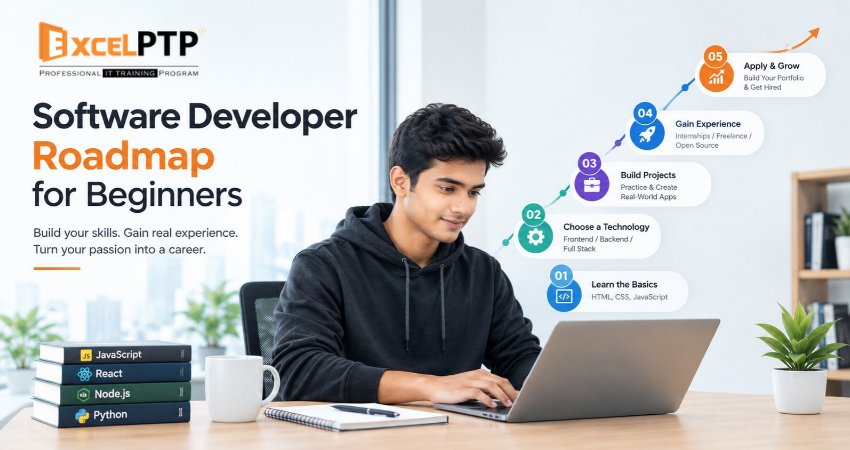
Becoming a software developer without prior coding experience is possible with a structured learning plan, regular practice, and practical projects. A well-organised software developer roadmap for beginners helps you understand what to learn first, which programming language to choose, how to build real applications, and how to prepare for entry-level developer jobs.
You do not need to master every programming language or framework before starting. Instead, focus on programming fundamentals, select one career path, build projects, learn essential development tools, and practise explaining your work.
For many beginners, six to twelve months can be a reasonable initial planning horizon for consistent learning. However, the actual time required depends on previous experience, weekly study hours, the chosen specialisation, and the complexity of the projects you build. This is a planning estimate, not a guarantee of employment.
This guide explains how to learn coding from scratch, develop practical programming skills, build a portfolio, and prepare for your first software development opportunity.
AI Summary: What Is the Best Way to Become a Software Developer?
The best way to become a software developer from zero is to learn programming fundamentals, choose one development specialisation, build progressively more complex projects, practise using Git and GitHub, and develop a portfolio that demonstrates your skills.
A beginner can follow this sequence:
- Understand basic computer concepts and programming logic.
- Learn one suitable programming language.
- Study the technologies required for a chosen developer role.
- Build small projects and gradually create complete applications.
- Learn debugging, testing, databases, APIs, and version control as needed.
- Publish projects and document them in a portfolio.
- Practise technical interviews, problem-solving, and communication.
The objective is not to collect certificates or watch the most tutorials. It is to become capable of solving problems, building working software, and explaining the decisions behind your code.
Who Can Follow a Software Developer Roadmap?
A coding roadmap for beginners can help people from different educational and professional backgrounds.
It may be useful for:
- Students and recent graduates who want practical programming experience.
- B.Com, BA, BBA, and other non-IT graduates who want to explore a technical career.
- Engineering graduates who understand theory but need hands-on development experience.
- Working professionals considering a career change into software development.
- Self-taught learners who need a clearer learning sequence.
- Beginners returning after a career gap who want to refresh their skills and build a portfolio.
Your background may affect which concepts you need to study first, but it does not automatically determine whether you can learn programming. Your progress depends on consistent practice, problem-solving ability, and the time you invest in developing relevant skills.
Step-by-Step Software Developer Roadmap
Step 1: Understand Programming Fundamentals
Before selecting advanced technologies, learn how programs work.
Start with these concepts:
- Variables and data types.
- Operators and expressions.
- Conditional statements such as if and else.
- Loops and repetition.
- Functions and parameters.
- Lists or arrays.
- Basic string manipulation.
- Input, output, and error handling.
- Problem-solving through small programming exercises.
For example, create a program that calculates a shopping bill, checks whether a number is even or odd, or calculates a student's average marks.
These exercises teach you to break a problem into smaller steps and express those steps as instructions a computer can execute.
Practical goal: Write small programs independently and explain how they work without relying entirely on copied code.
Step 2: Choose Your First Programming Language
Choosing a language becomes easier when you understand the type of software you want to build.
Python: Suitable for general programming, automation, data processing, and introductory programming exercises.
JavaScript: Useful for interactive websites, browser-based applications, and many server-side applications.
Java: Commonly used in enterprise applications, backend development, and Android-related ecosystems.
C#: Suitable for .NET development, business applications, APIs, and backend systems.
Dart: Used with Flutter to develop cross-platform mobile applications.
These are starting points, not exclusive career paths. The best language depends on your goals and the technologies used in the roles you want to pursue.
If you are unsure, Python for beginners is a reasonable option for learning general programming concepts. If your main interest is creating websites, JavaScript is a practical choice alongside HTML and CSS.
Avoid learning several languages simultaneously at the beginning. Build confidence with one language before expanding your toolkit.
Step 3: Learn the Core Concepts of Your Chosen Language
After learning the basics, deepen your understanding of the language you selected.
Focus on:
- Functions, modules, and code organisation.
- Data structures and common operations.
- Object-oriented programming where relevant.
- Exceptions and error handling.
- Reading and writing files.
- Basic algorithms and time complexity.
- Writing readable, maintainable code.
- Testing expected and unexpected inputs.
For example, a program that stores customer details should handle missing information, invalid input, and duplicate entries rather than working only for one perfect example.
Practical goal: Build a small application that combines several concepts and handles common errors.
Step 4: Select a Software Development Career Path
Once you understand programming fundamentals, choose a specialisation. You do not need to commit to it permanently, but having a primary direction helps you avoid learning unrelated technologies without a clear purpose.
1. Front-End Development
Front-end development focuses on the parts of a website or application that users see and interact with.
Learn:
- HTML for page structure.
- CSS for styling and responsive layouts.
- JavaScript for interactive behaviour.
- Accessibility and browser developer tools.
- A framework such as React when appropriate.
Beginner projects: A responsive portfolio website, an interactive dashboard, and a searchable product catalogue.
2. Back-End Development
Back-end development focuses on server-side logic, data processing, authentication, and communication between applications.
Learn:
- A programming language such as Python, Java, or C#.
- Server-side programming fundamentals.
- Databases and SQL.
- APIs and HTTP.
- Authentication, validation, and error handling.
Beginner projects: A task management API, a user account system, or a basic inventory application.
3. Full-Stack Development
Full-stack development combines front-end and back-end development. It involves creating user interfaces, implementing application logic, managing data, and connecting different components.
Learn:
- HTML, CSS, and JavaScript.
- A front-end framework where appropriate.
- A back-end language and framework.
- Databases and APIs.
- Testing and deployment fundamentals.
Beginner projects: A complete booking application or an expense tracker with a user interface, API, and persistent storage.
4. Mobile App Development
Mobile app development involves creating applications for smartphones and tablets.
Depending on your goals, learn Kotlin for Android, Swift for Apple platforms, or Dart with Flutter for cross-platform development.
Understand mobile interfaces, application state, data storage, API integration, and testing on different screen sizes.
Beginner projects: A habit tracker, a notes app, or a personal expense manager.
5. Data and AI Development
Data and AI development involves working with data, building analytical applications, and potentially developing machine learning or AI-powered solutions.
Start with Python, data handling, SQL, and basic statistics. Then explore relevant libraries, machine learning concepts, or AI APIs based on your goals.
Beginner projects: A dataset analysis project, a simple prediction model, or a small application that uses an AI API.
For complete beginners, front-end development can offer a visible introduction to software building because you can see changes in a browser. However, the right path is the one that matches your interests and the requirements of your intended role.
Step 5: Learn Essential Development Tools
Writing code is only one part of software development. You also need to manage files, find errors, track changes, and understand how applications are built and delivered.
Learn the purpose of these tools:
- Code editor or IDE: Write, organise, and navigate code.
- Terminal or command line: Run commands and development tools.
- Git: Track changes and manage versions of your code.
- GitHub: Host repositories and collaborate with others.
- Browser developer tools: Inspect website behaviour and diagnose front-end issues.
- Package managers: Install and manage project dependencies.
- Testing tools: Check whether code behaves as expected.
Start with basic Git operations such as creating a repository, committing changes, reviewing history, and using branches. GitHub provides beginner documentation for learning these workflows.
Practical goal: Store your projects in version-controlled repositories and write a README explaining what each project does and how to run it.
Step 6: Understand Databases and APIs
As you progress, learn how applications store information and communicate with other systems.
Start with SQL and database fundamentals, including:
- Tables, rows, and columns.
- Primary keys and relationships.
- Basic queries using SELECT, INSERT, UPDATE, and DELETE.
- Filtering, sorting, and joining data.
- Basic database design.
- Data validation and access permissions.
Then learn how APIs (Application Programming Interfaces) allow software systems to exchange information. Understand HTTP requests, response codes, JSON, and how applications handle failed requests.
For example, an expense-tracking application might use a database to store transactions and an API to retrieve them for display in the interface.
You do not need to master every database system immediately. Choose a suitable database for your project and learn the underlying concepts first.
Step 7: Build Real Coding Projects
Beginner coding projects are essential for turning theoretical knowledge into practical ability.
Start small, then introduce additional complexity as your skills improve.
Beginner projects
- Calculator: practise variables, operators, and functions.
- Quiz application: practise conditions, data structures, and scoring.
- To-do list: practise event handling and data management.
Intermediate projects
- Expense tracker: practise forms, validation, and data persistence.
- Weather dashboard: practise API integration and error handling.
- Inventory management system: practise database design and CRUD operations.
Portfolio-level projects
- Booking application.
- Task management platform.
- Personal finance dashboard.
- Customer management application.
CRUD stands for create, read, update, and delete—the four common operations used to manage application data.
For every project:
- Define the problem you want to solve.
- List the features and requirements.
- Break the work into manageable tasks.
- Build a simple working version.
- Test normal, incorrect, and unusual inputs.
- Fix bugs and improve usability.
- Document your decisions and limitations.
- Publish the project when it is ready to share.
Do not copy a tutorial project and present it as entirely original. Use tutorials to understand techniques, then change the requirements, implement additional features, and explain what you learned.
Step 8: Learn Debugging, Testing, and Code Quality
A useful software development learning path includes learning how to identify and fix problems, not just how to write code that works once.
Develop habits such as:
- Reading error messages carefully.
- Reproducing a bug before changing code.
- Checking assumptions with small experiments.
- Testing boundary cases and invalid inputs.
- Breaking large functions into smaller ones.
- Using meaningful names for variables and functions.
- Reviewing changes before committing them.
- Writing automated tests where appropriate.
For web development, learn the fundamentals of accessibility and responsive design. Correct HTML structure, keyboard navigation, readable layouts, and meaningful labels help make applications usable by more people.
Step 9: Use AI Coding Tools Responsibly
AI coding assistants can help explain unfamiliar concepts, suggest test cases, interpret errors, and provide examples. However, they can also produce incorrect, insecure, or unsuitable code.
Use AI tools as learning aids rather than substitutes for understanding.
A responsible workflow is to:
- Attempt the problem yourself.
- Ask for an explanation of a concept you do not understand.
- Review any suggested code line by line.
- Test the code using realistic and edge-case inputs.
- Check security, dependencies, and error handling.
- Modify the solution so you understand it.
- Avoid sharing passwords, API keys, private customer information, or confidential source code with tools that are not approved for that information.
You should be able to explain your projects and defend your technical decisions without depending on an AI assistant to answer every question.
Step 10: Build a Professional Developer Portfolio
A software developer portfolio gives employers or collaborators evidence of your practical skills.
Aim for three to five well-documented projects that demonstrate different abilities. Quality, completeness, and your understanding of the code matter more than the number of repositories.
Include the following for each substantial project:
- Project name and purpose.
- The problem it solves.
- Technologies used and why.
- Key features.
- Screenshots or a live demo where appropriate.
- A link to the source code when it can be shared.
- Setup and usage instructions.
- Testing performed and known limitations.
- Your individual contribution if it was a team project.
Make sure repositories are organised, unnecessary files are excluded, and secrets such as API keys are not exposed.
A small application with clear documentation and thoughtful error handling may demonstrate more useful skills than a large project you cannot explain.
Step 11: Prepare for Software Developer Interviews
Once you can build and explain projects, begin preparing for entry-level roles that match your skills.
Your software developer interview preparation should cover four areas.
Technical fundamentals
- Variables, data types, functions, and data structures.
- Basic algorithms and problem-solving.
- Object-oriented programming where relevant.
- SQL and database concepts for roles that require them.
- HTTP, APIs, and web fundamentals for web roles.
Practical coding
Solve small problems regularly. Explain your approach, test your solution, and consider edge cases instead of focusing only on reaching an answer quickly.
Project discussions
Practise explaining:
- Why you built the project.
- How its main components work.
- Which problems you encountered.
- How you tested and debugged it.
- What you would improve with more time.
Communication and teamwork
Learn to ask clarifying questions, discuss trade-offs, receive feedback, and explain technical decisions in plain language.
Review real job descriptions to identify the skills commonly requested for the roles you are targeting. Requirements vary by employer, seniority, location, and technology stack.
Step 12: Apply for Suitable Entry-Level Opportunities
You do not need to know every technology before applying. Look for positions whose core requirements align with your current abilities.
Possible starting roles include:
- Junior software developer.
- Junior front-end developer.
- Junior back-end developer.
- Graduate software engineer.
- Junior web developer.
- Trainee application developer.
- Internship positions with meaningful development work.
Tailor your resume to each role. Describe your projects, the problems solved, the technologies used, and the outcomes you can honestly demonstrate.
Track applications and feedback. If interviews repeatedly reveal gaps in SQL, problem-solving, or project knowledge, adjust your learning plan accordingly.
An internship can offer valuable feedback and teamwork experience, but it is not the only way to gain practical experience. Independent projects, open-source contributions, and supervised work can also help demonstrate your skills.
How Long Does It Take to Become a Software Developer?
The time required depends on your starting point, study schedule, chosen field, and the level of competence you need to demonstrate.
- Programming fundamentals: 4–8 weeks. Understand basic coding concepts.
- Language and core skills: 4–8 weeks. Write more structured programs.
- Specialisation fundamentals: 6–10 weeks. Learn the core tools for one developer path.
- Projects and development workflow: 6–10 weeks. Build, test, and document applications.
- Portfolio and job preparation: 4–8 weeks. Demonstrate skills and prepare for interviews.
These stages can overlap. They are planning ranges rather than fixed requirements, so the total time may be longer or shorter.
A learner studying part-time may need more time than someone who can practise several hours each day. A full-stack path may also require more topics than an introductory front-end path.
The better measure of progress is what you can do independently: solve problems, build functional projects, debug errors, and explain your code.
A Practical Weekly Study Routine for Beginners
A consistent routine can make learning more manageable, especially when studying alongside a job or degree.
For someone with approximately ten hours available each week:
- 3 hours: Learn new concepts.
- 4 hours: Practise coding exercises.
- 2 hours: Build or improve a project.
- 1 hour: Review errors, document progress, and revise earlier topics.
Use this as a starting schedule rather than a strict rule. If you struggle with a concept, spend more time practising it before moving forward.
At the end of each week, ask yourself:
- What can I now build that I could not build before?
- Which concepts can I explain without notes?
- Which errors did I solve independently?
- What is the next small, measurable goal?
This makes progress visible and helps you avoid spending all your study time watching tutorials.
Common Mistakes to Avoid When Learning Coding
1. Learning Too Many Languages at Once
Switching repeatedly between languages makes it harder to build depth. Choose one language that fits your goal and expand when you can use it comfortably.
2. Watching Tutorials Without Practising
Understanding someone else's code is different from creating your own solution. Pause tutorials, recreate examples independently, and change their requirements.
3. Jumping Into Frameworks Too Early
Frameworks can simplify development, but they do not remove the need to understand programming fundamentals. Learn the underlying concepts before relying heavily on abstractions.
4. Copying Code Without Understanding It
Copied code may fail when requirements change or errors occur. Be able to explain the purpose of important functions and how data moves through your application.
5. Ignoring Debugging and Testing
A project that works only with ideal inputs is incomplete. Test incorrect inputs, missing data, unexpected responses, and other realistic scenarios.
6. Collecting Certificates Without Building Projects
Courses can provide structure, but certificates alone do not demonstrate that you can develop working software. Combine study with practical work.
7. Expecting a Guaranteed Job Within a Fixed Period
Learning plans cannot guarantee employment. Hiring depends on your demonstrated skills, interview performance, role requirements, market conditions, and other factors.
How to Measure Your Progress
Use these milestones to decide when you are ready to move forward.
- I can write small programs without copying every line.
- I understand the main concepts of my chosen language.
- I can break a problem into manageable tasks.
- I can identify and fix common errors.
- I can use Git to track project changes.
- I have built projects beyond step-by-step tutorials.
- I understand the tools required for my chosen development path.
- I can explain my code and technical decisions.
- I have documented and tested my portfolio projects.
- I can solve relevant interview problems and discuss my work clearly.
You do not need to master everything before beginning your job search. Use these milestones to identify gaps, improve weak areas, and make informed decisions about the roles you are ready to pursue.
Conclusion: Start Small and Build Consistently
A successful software developer roadmap for beginners is built around progressive learning, practical application, and continuous improvement.
Begin with programming fundamentals, select one language, and focus on a specific development path. Then build projects, learn essential tools, practise debugging and testing, document your work, and prepare for interviews.
You do not need to learn every programming language or follow every new technology trend. You need a solid foundation, the ability to solve problems, and evidence that you can turn ideas into working software.
Start with one small project, finish it, learn from your mistakes, and build the next one. Consistent progress is more useful than waiting until you feel completely ready.