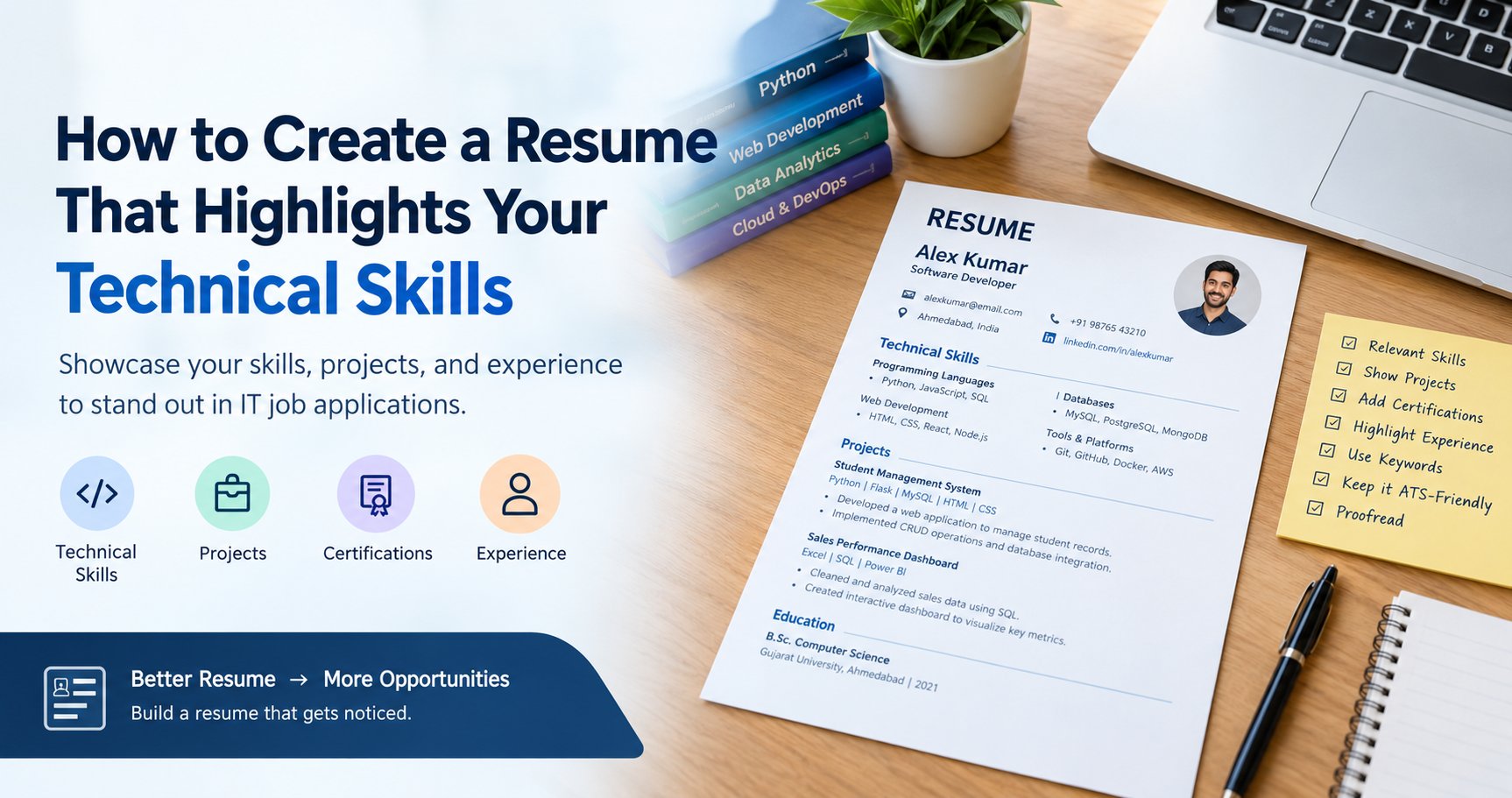
IT recruiters look for candidates who can apply relevant knowledge to a specific role. Knowing Python, SQL, React, AWS, or machine learning can be valuable, but simply mentioning these technologies does not explain your level of understanding.
For example, compare these two resume statements:
Weak example:
Technical skills: Python, SQL, Excel, Power BI, Machine Learning.
Stronger example:
Technical skills: Python, Pandas, SQL, and Power BI. Built an interactive sales dashboard using transactional data, developed SQL queries to summarize sales performance, and used Python to clean and analyze datasets.
The second example gives a clearer picture of how the candidate applies technical knowledge.
A well-structured technical resume helps employers identify relevant skills, understand your contributions, and decide whether your background fits the position. It can also make your application easier to process through applicant tracking systems (ATS), which some employers use to organize and screen applications.
However, no resume format or keyword strategy guarantees selection. Your skills, experience, application relevance, and interview performance all matter.
1. Understand the Job Description Before Writing Your Resume
One of the most effective resume writing tips for IT jobs is to start with the job you want rather than using the same resume for every application.
Different IT positions require different technical strengths. A Python developer may need programming, API development, and database knowledge, while a data analyst may need SQL, Excel, Power BI, and data visualization.
Identify the Employer's Technical Requirements
Read the job description carefully and identify:
- Required programming languages and frameworks.
- Databases, platforms, and development tools.
- Relevant project or domain experience.
- Preferred certifications and qualifications.
- Responsibilities that involve solving technical problems.
Separate the requirements into two groups: skills you already possess and skills you still need to develop.
For example, if a job description requests Python, SQL, REST APIs, Git, and basic cloud knowledge, prioritize the relevant skills you genuinely have. Do not add a technology simply because it appears in the vacancy.
Tailor Your Resume to the Specific Role
A candidate applying for both a data analyst position and a machine learning engineer position may need two versions of their resume.
For a data analyst application, emphasize SQL queries, data cleaning, Excel, dashboards, and business reporting. For a machine learning role, give more attention to Python, model development, feature engineering, evaluation metrics, and relevant machine learning projects.
You do not need to rewrite your entire resume each time. Maintain a master resume containing your verified skills and experience, then adjust the order and emphasis for each position.
2. Create a Dedicated Technical Skills Section
Your technical skills for resume section should be easy to locate and scan. For students and freshers applying for technical positions, placing it near the top—often after the career summary or education section—can help recruiters identify relevant abilities quickly.
Organize Skills Into Meaningful Categories
Avoid presenting a long, unstructured list of technologies. Group related skills together so employers can understand your technical background.
Example: Technical Skills
- Programming Languages: Python, Java, JavaScript
- Web Development: HTML, CSS, React, Node.js
- Databases: MySQL, PostgreSQL, MongoDB
- Data Analytics: Excel, Pandas, NumPy, Power BI
- AI/ML: Scikit-learn, model evaluation, feature engineering
- Tools and Platforms: Git, GitHub, Docker, AWS
This is an illustrative example, not a recommended list for every candidate. Include only categories and tools relevant to your actual experience and target role.
How Many Technical Skills Should You Include?
There is no fixed number that works for every resume. Prioritize a manageable set of relevant skills over a lengthy list of technologies you have barely used.
For each skill, ask yourself:
- Can I explain what it does?
- Have I used it in a project, internship, training exercise, or job?
- Can I answer basic interview questions about it?
- Can I describe a problem I solved using it?
If the answer is no, consider leaving it out until you have developed more practical experience.
Should You Include Proficiency Levels?
You can include proficiency levels when they communicate something meaningful, but avoid vague ratings such as five-star skill levels or unsupported percentages.
For example, “Python: used for data cleaning and model development” provides more useful context than “Python: 90%.”
If you are still learning a technology, list it under relevant coursework or ongoing learning rather than presenting it as a strong professional capability.
3. Demonstrate Technical Skills Through Projects
Projects are particularly valuable for freshers because they provide evidence of practical ability when professional experience is limited. They can strengthen an IT resume for freshers by demonstrating how technical knowledge is applied to real tasks.
A project does not have to be commercially deployed to be worth including. Academic assignments, personal projects, internships, and guided training projects can all demonstrate technical knowledge when you explain your contribution accurately.
What Should a Technical Project Description Contain?
For each relevant project, include:
- Project title: A clear name that explains what you built.
- Purpose: The problem the project addresses.
- Technologies used: The languages, frameworks, databases, and tools involved.
- Your contribution: The features you developed or tasks you completed.
- Outcome: A verifiable result, improvement, or completed functionality.
Example: Software Development Project
Project: Student Management System
Technologies: Python, Flask, MySQL, HTML, CSS.
- Developed a web application to manage student records and retrieve student information.
- Implemented CRUD operations using Flask routes and MySQL queries.
- Tested form submissions and database operations to verify that records could be created, updated, retrieved, and deleted.
This example explains what the candidate built and how the listed technologies were applied.
Example: Data Analytics Project
Project: Sales Performance Dashboard
Technologies: Excel, SQL, Power BI.
- Cleaned and organized sales data to prepare it for analysis.
- Used SQL queries to summarize sales by product, region, and period.
- Created a Power BI dashboard to visualize revenue trends and compare category performance.
Example: AI/ML Project
Project: Customer Churn Prediction
Technologies: Python, Pandas, Scikit-learn.
- Prepared customer data by handling missing values and selecting relevant features.
- Trained and evaluated a classification model to predict potential customer churn.
- Compared model performance using appropriate evaluation metrics and documented the limitations of the results.
Only include the techniques and tasks you actually performed. If you used a tutorial or starter project, explain what you implemented or modified yourself.
For additional guidance on developing job-oriented technical skills, explore ExcelPTP's professional training programs.
4. Write Strong Experience Bullets Instead of Listing Duties
If you have internship or professional experience, use your experience section to demonstrate how you applied technical skills.
A common mistake is to describe responsibilities without explaining the work completed.
Weak example:
- Worked on Python projects.
- Responsible for database management.
- Knowledge of AWS and Docker.
Improved example:
- Developed Python scripts to validate input data and automate repetitive processing tasks.
- Wrote SQL queries to retrieve records, summarize information, and support reporting requirements.
- Built and tested Docker images to package an application and its dependencies for consistent execution.
The improved statements are more specific. Use them only if they accurately describe your experience.
Use a Simple Formula for Technical Bullet Points
A useful structure is:
Action verb + technical task + technology used + outcome or purpose.
Examples of strong action verbs include developed, implemented, analyzed, automated, configured, tested, optimized, deployed, and evaluated.
Where possible, quantify your contribution using reliable information.
For example:
“Automated the processing of 500 sample records using Python, reducing manual data-entry steps.”
Use numbers only when you can substantiate them. If you do not have a meaningful metric, describe the functionality delivered or the problem solved instead.
5. Highlight Internships, Training, and Practical Experience
Not every candidate has a full-time IT job. You can still build a credible technical resume for freshers by presenting relevant experience clearly.
If You Are a Fresher
Consider including:
- Academic projects.
- Personal coding projects.
- Technical internships.
- Relevant practical training.
- Hackathons or technical competitions.
- Open-source contributions.
- Relevant coursework, when it adds useful information.
Place the sections that best demonstrate your fit for the role near the top. For many technical freshers, this means prioritizing technical skills and projects rather than giving excessive space to unrelated activities.
If You Are Switching Careers
Candidates moving from commerce, arts, administration, sales, or another non-IT background should connect their existing experience with their new technical direction.
For example, someone moving from accounting to data analytics might highlight Excel reporting, numerical analysis, SQL practice, and Power BI projects. Someone transitioning into software development could emphasize programming projects, debugging experience, and database knowledge.
Transferable skills are useful, but they should complement—not replace—the technical evidence required for the target role.
If You Have an Employment Gap
You can include relevant learning, independent projects, certifications, or internships completed during the gap. Present dates honestly and avoid trying to disguise periods of unemployment.
Employers need a clear picture of your capabilities, not an artificial employment history.
6. Make Your Resume ATS-Friendly
An applicant tracking system helps employers manage applications. Some systems parse resumes into structured fields or allow recruiters to search for specific qualifications and keywords.
The goal of an ATS-friendly resume is to make your information readable for both software and people.
Use a Simple, Readable Layout
For a conventional technical resume:
- Use standard headings such as Summary, Technical Skills, Projects, Experience, Education, and Certifications.
- Choose a readable font such as Arial or Calibri.
- Keep font sizes and spacing consistent.
- Use ordinary bullet points and clear section breaks.
- Avoid unnecessary graphics, text boxes, complex tables, and multi-column layouts when compatibility is uncertain.
- Follow the employer's requested file format and submission instructions.
A one-page resume is often suitable for freshers and candidates with limited experience. Experienced professionals may need two pages to explain relevant achievements adequately. Conciseness matters more than forcing every candidate into the same page limit.
Include Relevant Keywords Naturally
If a job description mentions “REST API development,” “SQL,” or “React,” use those exact terms when they accurately describe your experience.
Do not insert keywords repeatedly or hide them in white text. Keyword stuffing can make a resume difficult to read and misrepresent your capabilities.
An ATS-friendly resume can improve readability and parsing, but ATS products and employer screening practices vary. A simple format cannot guarantee that your application will pass every screening process.
7. Add Relevant Certifications and Education
Certifications can support your technical profile, especially when you are beginning your career or moving into a new specialization.
Include certifications that are relevant to the target job and accurately represent your completion status.
For each certification, list:
- The official certification or course name.
- The issuing organization.
- The completion date, if relevant.
- A credential link or ID, when appropriate and safe to share.
Distinguish between a certification you have earned and a course you are currently completing.
Your education section should include your degree or qualification, institution, and graduation year. Relevant coursework can be useful when you are a fresher and have limited practical experience.
Avoid listing every online course you have watched. A few relevant, verifiable credentials are generally more useful than a long list of unrelated certificates.
8. Include GitHub, LinkedIn, and Portfolio Links
For many technical roles, links to your work can strengthen your resume by giving recruiters a way to review your projects.
GitHub
If you are applying for software development, AI/ML, or data engineering roles, consider including a GitHub profile with relevant repositories.
Make sure important repositories have clear README files, setup instructions, technology details, and examples of how the project works. Remove passwords, API keys, private data, and other sensitive information before publishing code.
Keep your LinkedIn profile consistent with your resume. Your headline, skills, projects, and employment dates should reflect your current career direction.
Portfolio
A portfolio can be especially useful for web developers, UI/UX designers, data analysts, and other professionals who can demonstrate their work visually.
Link directly to relevant projects where possible rather than expecting recruiters to search through unrelated material.
9. Choose the Right Resume Format
Your format should make your strongest qualifications easy to find.
| Resume format | Best suited for | Main consideration |
|---|---|---|
| Reverse chronological | Candidates with relevant work experience | Shows recent experience first |
| Skills-focused or hybrid | Career switchers and candidates with transferable experience | Must still provide evidence of practical skills |
| Project-focused | Freshers and early-career IT candidates | Projects should demonstrate real individual contributions |
For most IT applicants, a simple reverse-chronological or hybrid layout is a practical starting point.
A software developer resume might place technical skills, professional experience, and relevant projects prominently. A fresher with no IT employment may place education and technical projects before unrelated work experience.
Choose the order that best communicates your suitability for the role.
10. Review Your Resume Before Applying
A final review helps catch errors that can undermine an otherwise strong application.
Use this checklist before submitting your resume.
- My resume clearly identifies the role I am targeting.
- My most relevant technical skills appear near the top.
- Each listed skill reflects knowledge I can explain or demonstrate.
- My projects describe the problem, technologies, and my contribution.
- My experience bullets focus on actions and outcomes rather than vague duties.
- My resume includes relevant keywords from the job description.
- My GitHub, LinkedIn, and portfolio links work.
- My education, certifications, and employment dates are accurate.
- The document uses consistent formatting and has no spelling errors.
- I have followed the employer's file-format and application instructions.
If possible, ask a mentor, trainer, or experienced professional to review your resume. They may notice unclear descriptions, missing project details, or technical claims that need stronger evidence.
Common Technical Resume Mistakes to Avoid
Even candidates with good technical knowledge can weaken their applications through avoidable resume mistakes.
Listing too many technologies: A long list can look impressive but may invite questions you cannot answer. Prioritize relevant skills you can demonstrate.
Using generic statements: Phrases such as “hardworking programmer” or “excellent technical knowledge” are less persuasive than examples of completed work.
Copying project descriptions: Use your own words and identify your specific contribution, particularly when a project was completed in a team.
Adding unverified achievements: Never invent performance improvements, users, clients, or production experience.
Using the same resume for every job: Different roles require different skills. Reorder relevant information to match each opportunity.
Ignoring basic quality checks: Broken links, inconsistent dates, misspelled technology names, and unreadable formatting can distract recruiters from your strengths.
Confusing course completion with professional expertise: Completing training is useful, but your resume should distinguish what you studied from what you can apply independently.
Conclusion
Creating a resume that highlights your technical skills requires more than adding a list of programming languages, frameworks, and software tools. You need to show how those skills relate to the job, where you have applied them, and what you accomplished.
Start by studying the job description, organizing your technical skills into relevant categories, and describing projects with specific examples. Add internships, certifications, and professional experience where applicable, then review your resume for accuracy, readability, and relevance.
If you are an IT fresher, remember that you do not need years of professional experience to demonstrate technical ability. A well-explained project, a clear understanding of your tools, and honest evidence of practical learning can help employers assess your potential.
If you need structured guidance on building job-ready IT skills and preparing for technical interviews, explore ExcelPTP's training programs or review its placement support information. Choose a learning path that matches your target role and gives you opportunities to practise, build projects, and explain your work confidently.