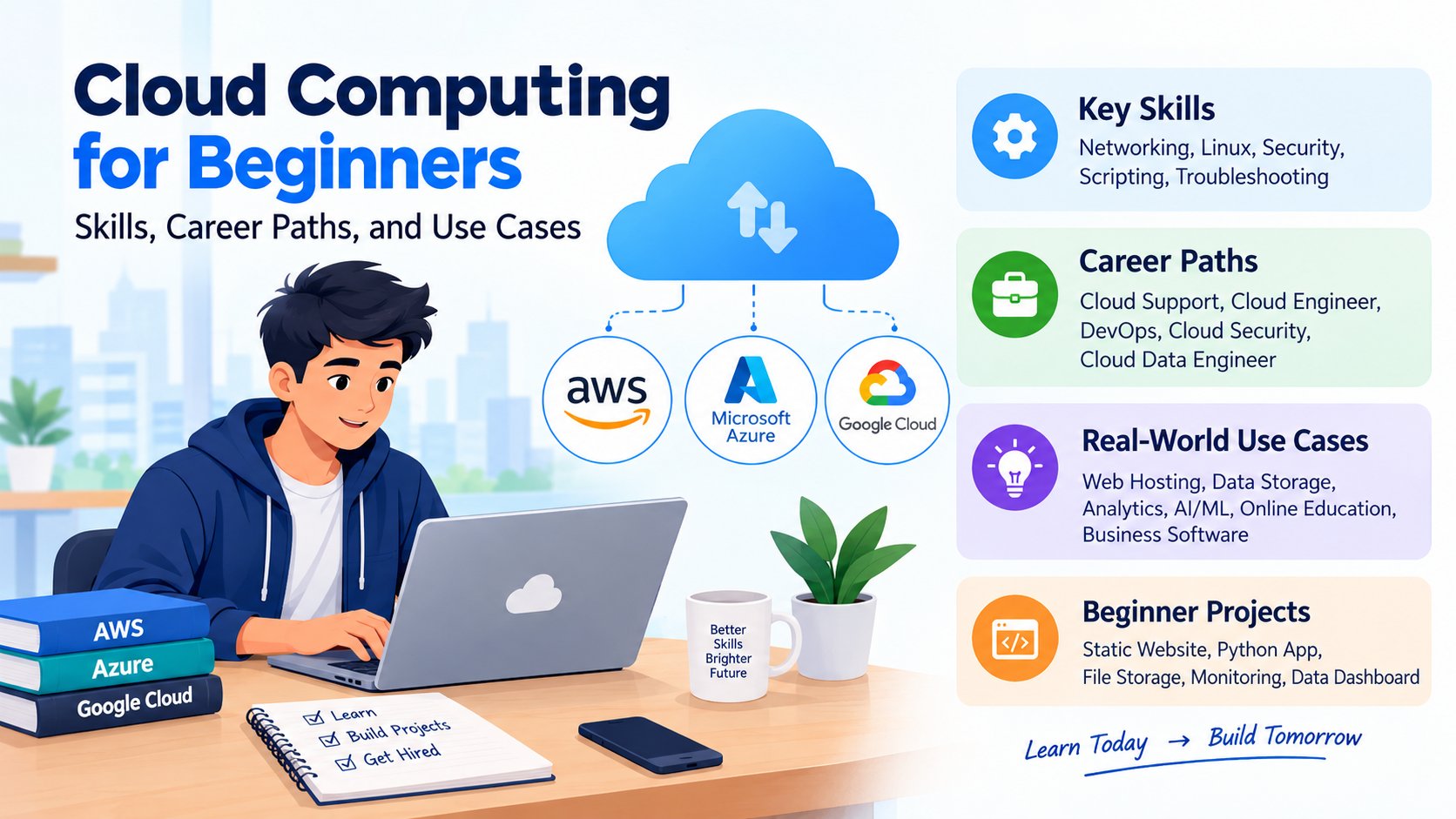
Cloud computing has become an important part of how businesses build applications, store information, manage data, and deliver online services. From websites and mobile applications to online classrooms and business software, many digital services rely on cloud infrastructure.
For students pursuing BCA, MCA, B.Tech, computer science, or other IT-related courses, cloud computing for beginners is a useful starting point for understanding modern IT systems and exploring technology careers. You do not need to be an expert in networking or servers to begin. Start with the fundamentals, practise using a cloud platform, and gradually build practical projects.
In this guide, you will learn what cloud computing is, how it works, the main service and deployment models, the skills you need, common real-world use cases, and career paths you can explore in India.
1. What Is Cloud Computing?
In simple terms, cloud computing means using computing services through the internet instead of relying only on your own computer or physical servers.
For example, when you save a file in Google Drive, use an online meeting application, or access a website hosted on a remote server, cloud services may be involved.
Traditionally, an organisation might purchase physical servers, install software, arrange networking, and maintain the equipment. With cloud computing, it can rent the resources it needs from a cloud provider and adjust them as its requirements change.
How does cloud computing work?
The process generally involves these steps:
- A user opens a website, application, or cloud service.
- The request travels through the internet to the service's infrastructure.
- Cloud servers process the request and access the required data or application.
- The service returns the result to the user's device.
- The provider manages the underlying physical infrastructure, while the customer remains responsible for certain configurations, applications, data, and security tasks depending on the service model.
For example, when a student visits an online learning portal, the application may run on cloud servers, retrieve course information from a database, and display the content in the browser.
Why is cloud computing important?
Cloud computing helps organisations access technology resources without having to own and maintain every physical component themselves. It can support faster deployment, flexible capacity, remote access, and consumption-based pricing. However, cost savings and performance depend on how services are selected, configured, and managed.
2. Understand the Main Cloud Service Models
Cloud service models describe what a provider offers and how much infrastructure management remains with the customer. The three foundational models are IaaS, PaaS, and SaaS.
Infrastructure as a Service (IaaS)
IaaS provides computing infrastructure, such as virtual machines, storage, and networking, through a cloud provider.
You get more control over the environment, but you generally need to manage the operating system, applications, and many configurations.
Example: Using a virtual machine to host a website or run a backend application.
Best for: Learners interested in cloud infrastructure, system administration, and cloud engineering.
Platform as a Service (PaaS)
PaaS provides a managed environment for developing and deploying applications. Developers can focus more on writing code instead of maintaining the underlying servers and platform.
Example: Deploying a Python web application through a managed application hosting service.
Best for: Web developers, backend developers, and teams that want to deploy applications without managing every server component.
Software as a Service (SaaS)
SaaS provides ready-to-use software over the internet. Users generally access the application through a browser or app rather than installing and maintaining the complete system themselves.
Examples: Online email, document collaboration, and customer relationship management software.
Best for: Everyday users and organisations that need software without managing its infrastructure.
IaaS vs PaaS vs SaaS
| Feature | IaaS | PaaS | SaaS |
|---|---|---|---|
| Main offering | Infrastructure | Application development platform | Ready-to-use software |
| User's focus | Manage systems and applications | Build and deploy applications | Use the software |
| Infrastructure management | More customer responsibility | More provider responsibility | Mostly provider-managed |
| Example use | Hosting a virtual server | Deploying a web application | Using online office software |
| Suitable learning path | Cloud and system administration | Application development | Understanding cloud-based software |
The simplest way to remember the difference is: IaaS means renting infrastructure, PaaS means building on a managed platform, and SaaS means using ready-made software. Actual responsibilities vary by service.
3. Learn the Main Cloud Deployment Models
Deployment models describe how cloud infrastructure is made available and who uses it.
Public cloud
A public cloud is provided by a third-party cloud company and accessed by customers over a network. The provider operates the underlying infrastructure, while customers configure and use their allocated services.
Use case: A startup hosting its website on AWS, Azure, or Google Cloud.
Private cloud
A private cloud environment is dedicated to one organisation. It may be hosted in the organisation's own data centre or managed by a service provider.
Use case: An organisation that needs specific levels of control over its infrastructure, data, or regulatory requirements.
Hybrid cloud
A hybrid cloud combines private infrastructure with public cloud services, allowing an organisation to use both environments for different workloads.
Use case: A company keeps certain sensitive systems in a controlled environment while using public cloud services for additional application capacity.
Multi-cloud
A multi-cloud strategy uses services from more than one cloud provider.
Use case: A business uses different providers for application hosting, data analytics, or specialised services.
Public, private, and hybrid cloud are core deployment concepts. Multi-cloud is another strategy that beginners may encounter when learning about enterprise infrastructure.
4. Explore Popular Cloud Platforms
Beginners should understand the main cloud platforms before deciding which one to practise with.
Amazon Web Services (AWS)
AWS offers services for computing, storage, databases, networking, security, and application deployment.
Explore it if you are interested in cloud infrastructure, cloud support, DevOps, or cloud engineering.
Microsoft Azure
Azure provides cloud services for application hosting, virtual machines, databases, identity, networking, analytics, and integration with Microsoft technologies.
It can be a useful choice for learners interested in enterprise IT, Microsoft environments, and cloud administration.
Google Cloud
Google Cloud provides computing, storage, databases, data analytics, AI, and application hosting services.
It can be relevant to learners interested in cloud-native development, data engineering, analytics, and AI-related workloads.
Which cloud platform should a beginner choose?
You do not need to learn all three platforms at the same time. Choose one platform, understand its core concepts, and practise deploying a small project. The fundamental ideas—networking, storage, permissions, virtual machines, monitoring, and cost management—can help you learn other platforms later.
5. Essential Cloud Computing Skills for Beginners
Cloud careers involve more than knowing where to click in a cloud dashboard. A strong foundation combines technical concepts, hands-on practice, troubleshooting, and security awareness.
Networking fundamentals
Learn the basics of IP addresses, DNS, HTTP and HTTPS, ports, subnets, firewalls, and routing. These concepts help explain how applications communicate and how cloud resources are connected.
Linux and operating systems
Understand files and directories, permissions, processes, services, logs, and basic terminal commands. Linux knowledge is particularly useful for working with many server environments.
Virtual machines and storage
Learn what a virtual machine is, how compute resources are provisioned, how cloud storage works, and when block, file, or object storage may be appropriate.
Cloud security and identity
Learn about identity and access management (IAM), least-privilege access, multifactor authentication, encryption, security groups, backups, and secrets management.
Security is a shared responsibility. Cloud providers secure parts of the underlying infrastructure, while customers must secure their accounts, data, applications, and configurations according to the services they use.
Scripting and automation
Basic Python, Bash, or PowerShell can help you automate repetitive tasks, process logs, manage resources, and support deployments. You do not have to master every language before starting with cloud fundamentals.
Git and deployment basics
Learn Git for version control and understand how an application moves from development to testing and production. Later, explore CI/CD pipelines and infrastructure as code.
Monitoring and cost management
Practise reading logs, checking resource usage, setting budgets and alerts, and removing resources you no longer need. A project that works technically can still be poorly managed if it creates unexpected charges.
6. Real-World Use Cases of Cloud Computing
Cloud computing supports a wide range of industries and technical workloads.
Website and application hosting
Businesses host websites, APIs, e-commerce platforms, and mobile application backends on cloud infrastructure. Resources can be adjusted as traffic changes.
Data storage and backup
Cloud storage can support documents, media files, backups, and business records. Organisations still need appropriate access controls, retention policies, and recovery plans.
Data analytics and business intelligence
Companies use cloud-based data platforms to collect, process, and analyse information. Data analysts may use SQL, Python, dashboards, and cloud data services to create reports and support business decisions.
Artificial intelligence and machine learning
Cloud services can provide computing power, storage, managed machine-learning tools, and access to AI services. These resources can support model training, inference, and generative AI applications.
Online education
Learning platforms use online application hosting, databases, file storage, and content delivery to make educational resources accessible to students.
Business software
Organisations use cloud-based systems for collaboration, customer management, finance, human resources, and project management.
Disaster recovery
Cloud services can help organisations maintain backups and recover applications after failures. A reliable recovery plan requires testing; simply storing a backup does not guarantee that a system can be restored successfully.
7. Cloud Computing Career Paths for Freshers
Cloud computing is not one single job. It includes roles in infrastructure, development, operations, security, and data platforms. Entry-level responsibilities vary by employer, and some positions expect prior IT support or systems experience.
Cloud Support Associate
A cloud support professional helps investigate service issues, access problems, configuration errors, and connectivity challenges.
Useful skills: Networking basics, operating systems, troubleshooting, cloud fundamentals, and clear communication.
Cloud Engineer
Cloud engineers help provision, configure, maintain, and improve cloud environments.
Useful skills: Virtual machines, networking, storage, IAM, scripting, monitoring, and infrastructure automation.
Cloud Administrator
Cloud administrators manage accounts, permissions, resources, policies, and operational tasks in a cloud environment.
Useful skills: Identity management, operating systems, networking, backups, monitoring, and security basics.
DevOps Engineer
DevOps engineers work to improve software delivery through automation, CI/CD, infrastructure as code, monitoring, and collaboration between development and operations teams.
Useful skills: Git, Linux, scripting, CI/CD, containers, monitoring, and cloud platforms. Many DevOps roles require broader practical experience, so this may be a progression after foundational development or operations work.
Cloud Security Engineer
Cloud security professionals help protect cloud accounts, workloads, identities, data, and network configurations.
Useful skills: IAM, networking, logging, encryption, security policies, vulnerability management, and incident response. Specialist roles often require additional experience.
Cloud Data Engineer
Cloud data engineers build and maintain systems that collect, transform, store, and deliver data for reporting and analytics.
Useful skills: SQL, Python, data pipelines, databases, data modelling, and cloud data services.
Which career path is suitable for you?
| Your interest | Possible direction | Start by learning |
|---|---|---|
| Servers and troubleshooting | Cloud Support | Linux, networking, cloud fundamentals |
| Building applications | Cloud Developer | Programming, APIs, deployment |
| Automation and releases | DevOps | Git, Linux, scripting, CI/CD |
| Protecting systems | Cloud Security | Networking, IAM, security basics |
| Data pipelines and reporting | Cloud Data Engineer | SQL, Python, databases, data concepts |
You can explore relevant learning options through ExcelPTP's professional training programs and choose a path that matches your existing skills and career goals.
8. Beginner-Friendly Cloud Computing Projects
Projects help you turn concepts into practical experience. Start small, document your work, and make sure you understand the configuration rather than simply following a tutorial.
Project 1: Host a static website
Create a simple portfolio using HTML and CSS, then deploy it using a suitable cloud storage or static hosting service.
You will practise: Hosting, file storage, public access settings, basic deployment, and domain concepts.
Portfolio evidence: A live website, screenshots, a deployment guide, and a short explanation of the architecture.
Project 2: Deploy a Python web application
Build a small Flask or Django application and deploy it on a managed application platform or virtual machine.
You will practise: Application configuration, environment variables, deployment, logs, and database connectivity.
Portfolio evidence: Application source code, setup instructions, deployment notes, and a list of issues you solved.
Project 3: Create a cloud-based file storage workflow
Build a small application that uploads and retrieves files through a cloud storage service.
You will practise: Storage, permissions, file handling, and access control.
Important: Avoid making sensitive files publicly accessible. Use appropriate permissions and never publish access keys in source code.
Project 4: Set up a monitoring and alerting demonstration
Deploy a small test resource, enable monitoring, and configure an alert for a meaningful condition, such as high resource usage.
You will practise: Metrics, logs, alert rules, and basic operational troubleshooting.
Project 5: Build a simple cloud data dashboard
Use a small public or synthetic dataset, store it in an appropriate database or storage service, and create a basic report.
You will practise: Data handling, SQL or Python, cloud storage, and visualisation.
For every project, record the objective, tools used, architecture, setup steps, security choices, approximate cost considerations, and lessons learned. Delete unused resources when finished.
9. A 90-Day Cloud Computing Learning Roadmap
A structured plan can help beginners learn without trying to master every platform at once.
Days 1–30: Build the foundation
Focus on:
- Understanding cloud computing and its service models.
- Learning basic networking concepts.
- Practising Linux or command-line fundamentals.
- Understanding virtual machines, storage, and databases.
- Exploring one cloud provider's beginner learning material.
Goal: Explain the main cloud concepts in your own words and navigate a cloud environment safely.
Days 31–60: Practise core services
Focus on:
- Creating and configuring a small compute resource.
- Learning storage and basic database services.
- Understanding IAM and access permissions.
- Deploying a simple application or website.
- Exploring monitoring, budgets, and resource cleanup.
Goal: Complete one small cloud project and document the deployment.
Days 61–90: Build a portfolio
Focus on:
- Completing a second project related to your chosen career path.
- Using Git to manage project code and documentation.
- Practising troubleshooting from logs and error messages.
- Reviewing cloud security and cost-management basics.
- Preparing interview answers and explaining your projects.
Goal: Have two documented projects and be ready to discuss your learning process during an internship or entry-level interview.
Adjust the pace based on your available time and prior experience. The roadmap is a learning plan, not a guarantee of job readiness or placement.
10. Cloud Computing Certifications: Are They Necessary?
Certifications can help demonstrate structured learning, particularly for beginners who need to show familiarity with a cloud platform. However, a certificate alone does not prove that you can deploy, secure, or troubleshoot a real application.
Before paying for an exam, check the current official syllabus, exam fee, eligibility, and preparation resources.
A practical approach is to:
- Learn the core cloud concepts.
- Complete the provider's official beginner learning material.
- Practise using available free or low-cost resources, checking their current limits and conditions.
- Build at least one project.
- Decide whether a foundational certification supports your career goal.
You can start with official learning resources such as Microsoft Learn's introduction to cloud computing and the Google Cloud overview of cloud computing.
11. Common Mistakes Beginners Should Avoid
Learning too many platforms at once: Start with one platform and understand the fundamentals before switching.
Ignoring networking: Cloud applications still rely on IP addresses, DNS, ports, routing, and secure connections.
Learning only theory: Deploy and troubleshoot real projects, even if they are small.
Neglecting security: Avoid sharing credentials, assigning excessive permissions, or exposing storage and databases unnecessarily.
Forgetting about billing: Some cloud resources can continue to incur charges after a tutorial is complete. Set budgets and alerts where available, review pricing, and remove unused resources.
Collecting certificates without projects: Combine structured learning with evidence of practical work.
Expecting an immediate job: Cloud roles have different entry requirements. Build a foundation, practise consistently, and apply for roles that match your skills and experience.
Conclusion
Cloud computing helps businesses access infrastructure, platforms, storage, databases, and software over the internet. For beginners, the best way to learn is to understand the basics, choose one cloud platform, practise essential skills, and build projects that demonstrate what you can do.
Whether you want to become a cloud support associate, cloud engineer, DevOps engineer, cloud developer, or cloud data engineer, begin with a realistic learning plan and expand your skills through hands-on practice.
If you are planning your IT career, explore ExcelPTP's training programs, read student training and placement experiences, or contact ExcelPTP to discuss suitable learning options.